Development preview · Foundation 0.2
One idea.
Every medium.
Kivoa is the sovereign Creative Operating System. Design your content once – Kivoa keeps every format connected, on-brand and in your hands. Local in your browser, no account.
- Free during the preview
- No sign-up
- Projects stay on your device
The principle
Change one thing. See what it affects.
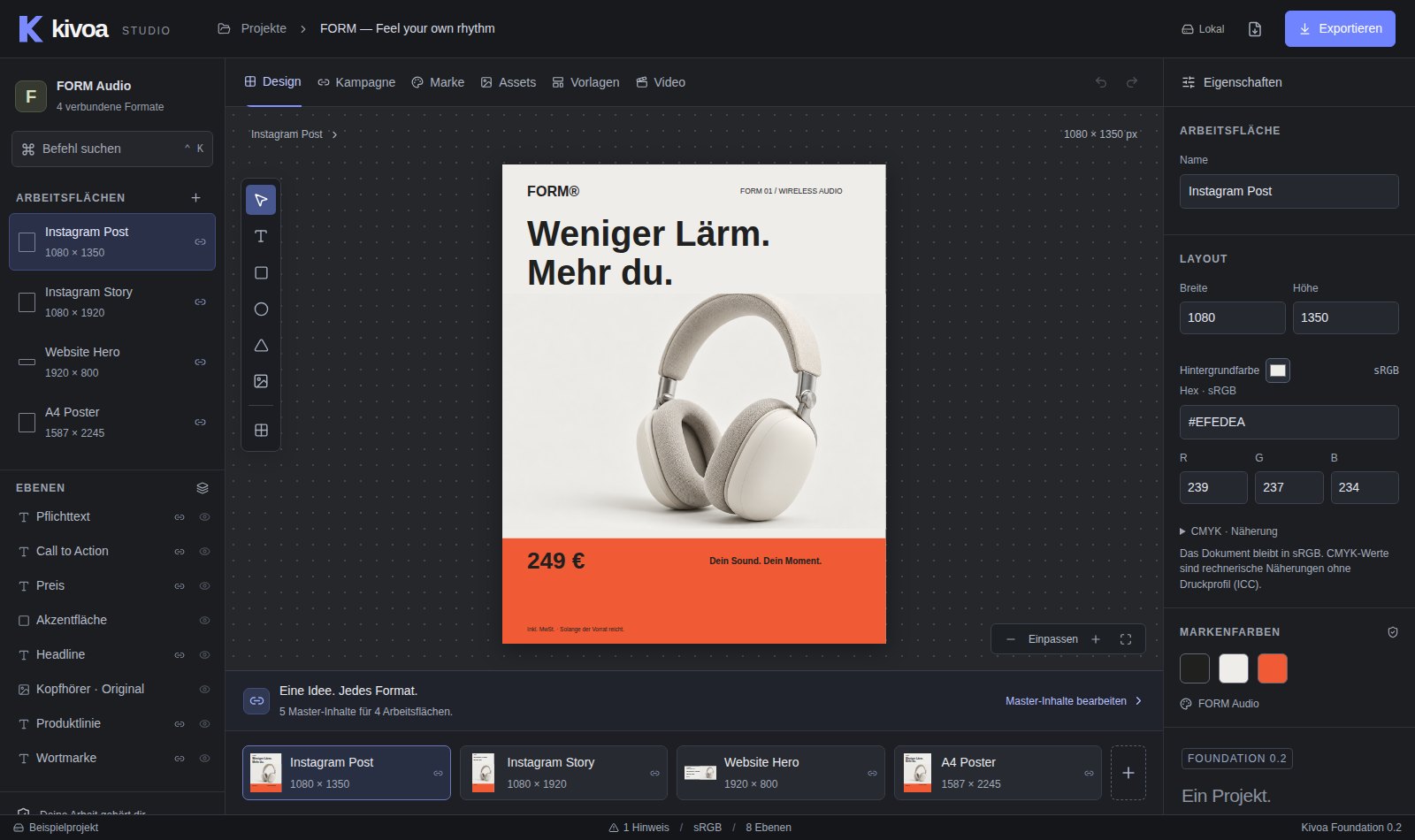
In a campaign, one idea becomes a post, a story, a poster and a website. When the price changes, every file has to be touched by hand. In Kivoa, content lives once in the master – and you see immediately which formats are affected.
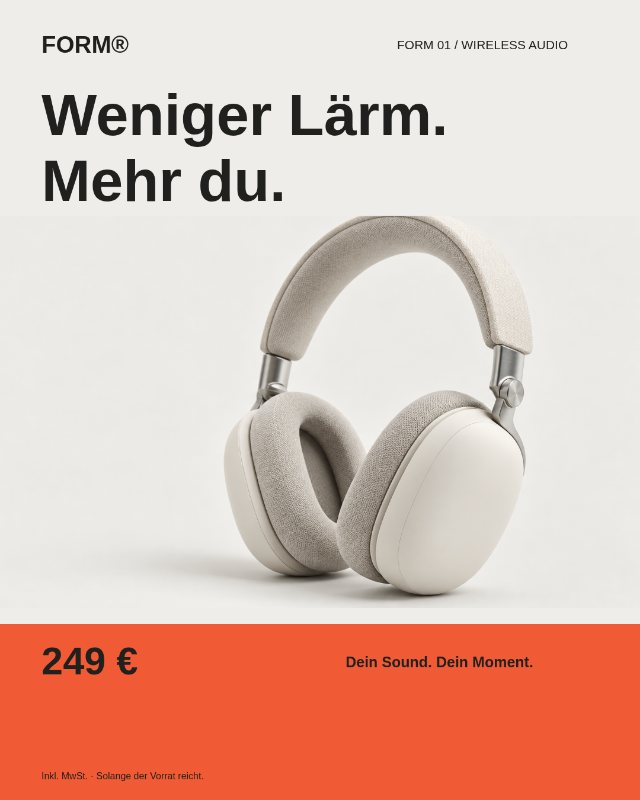
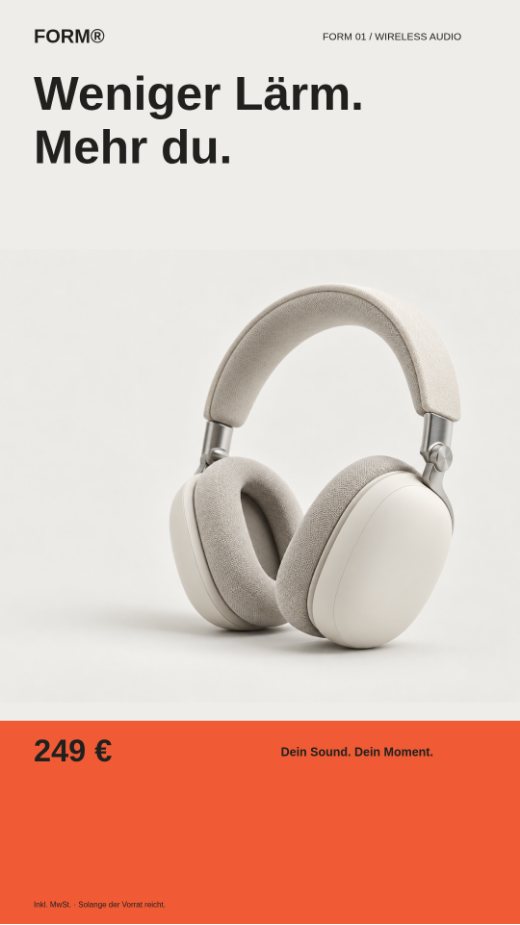
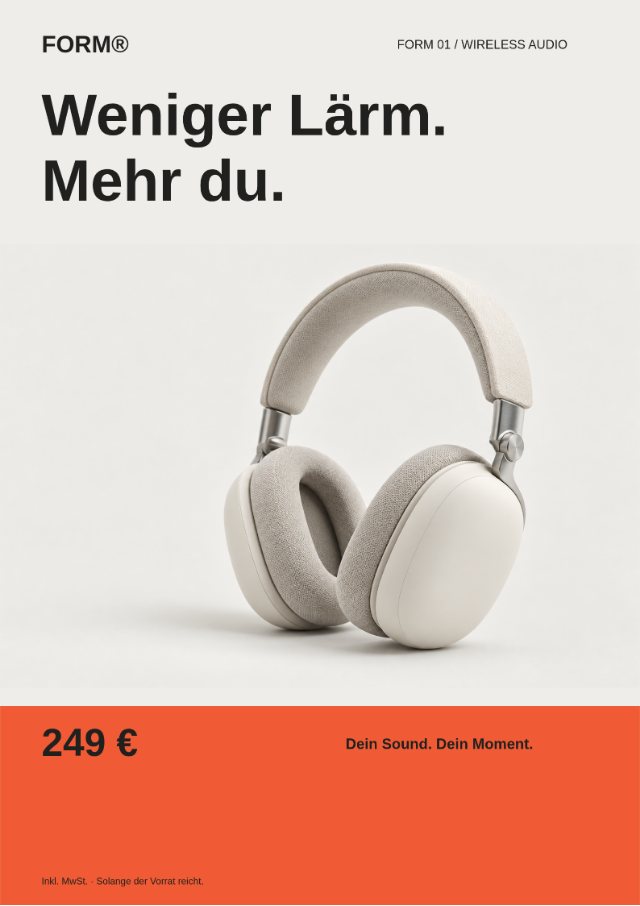
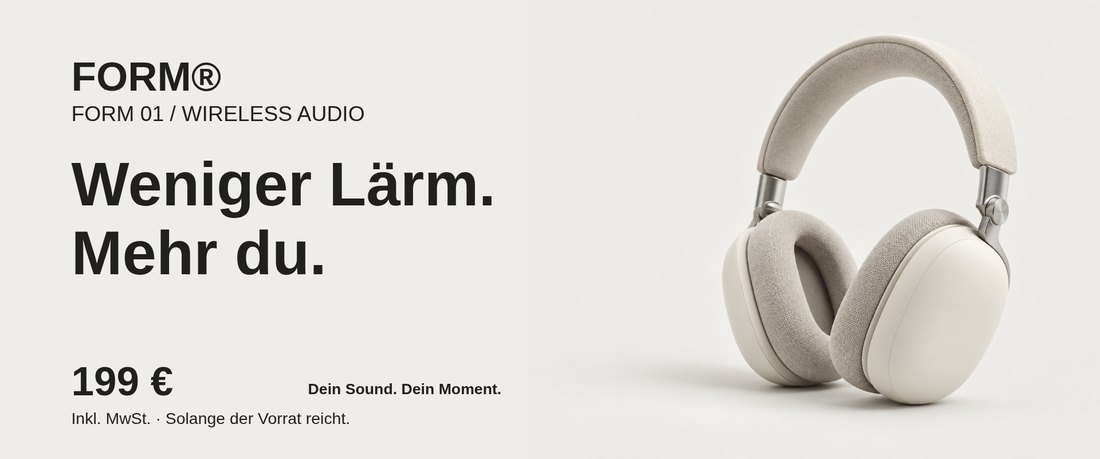
One price, four connected formats.
Real outputs from Kivoa Studio (sample content is in German). Local exceptions in single formats survive master changes.
- Instagram Post1080 × 1350
- Instagram Story1080 × 1920
- A4 Poster210 × 297 mm
- Website Hero1920 × 800
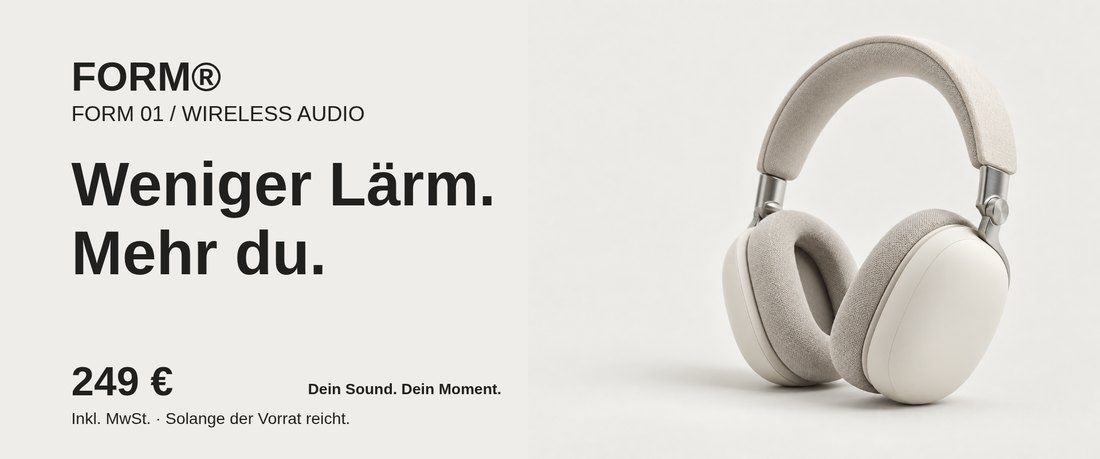
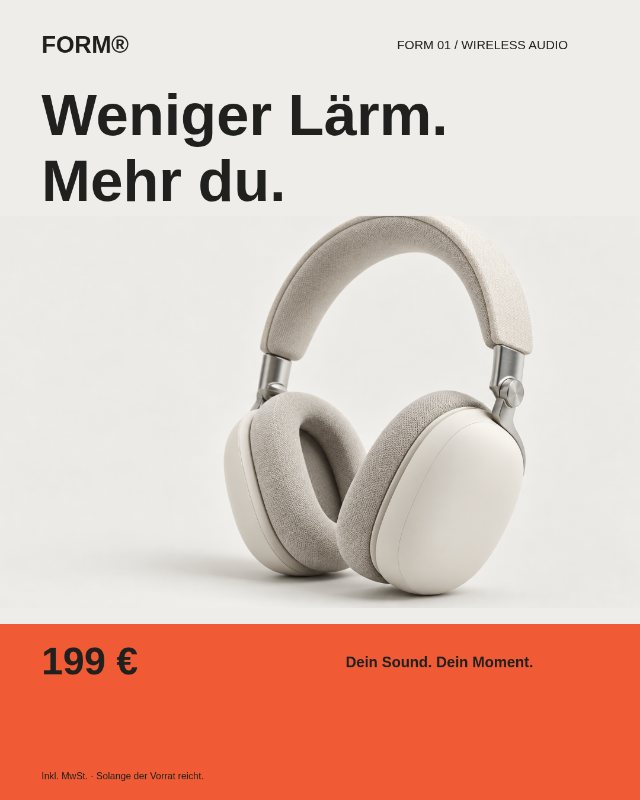
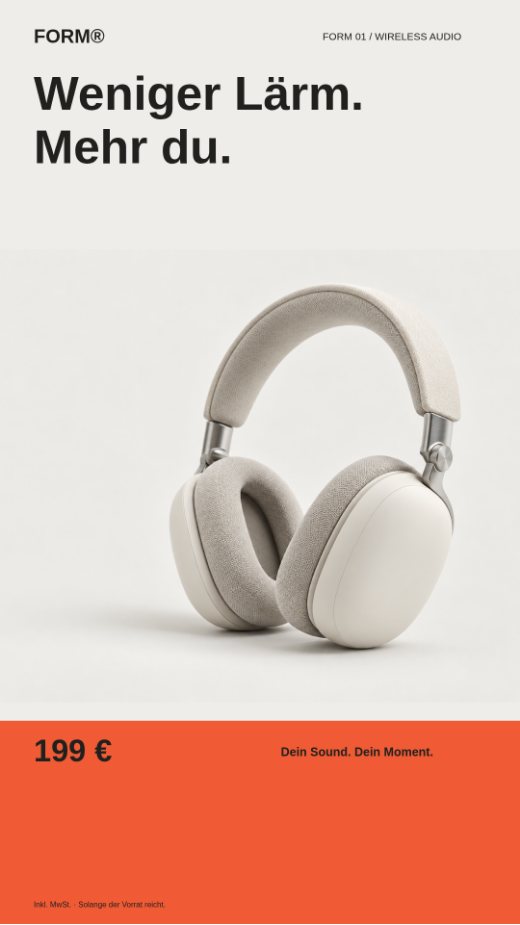
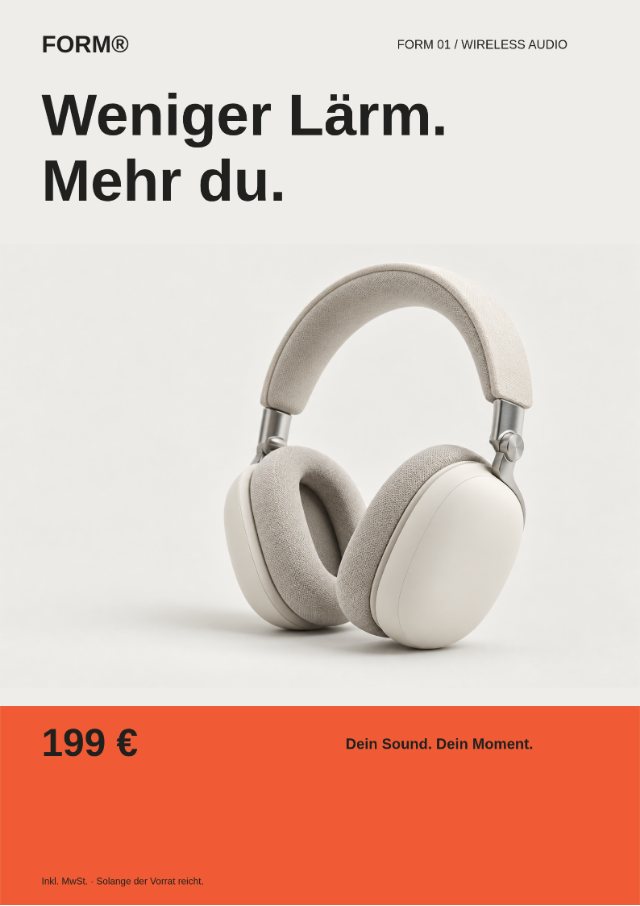
Honest status
What works today – and what does not yet.
Kivoa is at the beginning. So we tell you exactly what you can use today and what is missing, instead of announcing features that do not exist.
Works today
- Connected formats: change content once, every output shows the impact
- Approval states: “Approved” is visibly invalidated when content or brand changes
- Brand as a system: colors, wordmark and checks for deviations
- Text, shapes, vector polygons, Bézier paths (pen tool, node editing) and images; multi-select, groups, alignment, rulers, guides, snapping
- Styling: stroke, gradient, drop shadow, line height, letter spacing, italic, underline, uppercase; crop, zoom and flip images
- Templates, undo/redo and earlier versions in the browser
- Print PDF as vector with bleed, crop marks and embedded customer fonts (RGB or CMYK with your own press profile, not PDF/X yet); export as SVG, PNG and PDF (raster, sRGB), all formats as a ZIP with manifest and checksums, and as an open .kivoa file — with a report of what the output file does not contain compared to the project
- PDF workshop: reorder, rotate, merge and split pages, page numbers and watermarks, fill in forms, signature as an image, images to PDF and PDF to images – locally in the browser
- Multi-track video in the project: video, audio, text and graphics tracks (from your artboards), cutting, fades, subtitles (SRT or automatic), WebM export, MP4 via the YJAR service MediaForge
- Use client fonts and import a corporate design package
Still to come
- Professional text and vector engine (boolean operations, path tools beyond the basics)
- CMYK with ICC profiles and print-ready PDF/X
- Editing PDF content, OCR, designing forms, certificate-based signatures, redaction
- Frame-accurate video rendering, transitions and keyframes, audio mixing with levels, motion, color grading
- AI features with a provider of your choice
- Teams, approvals by people, sync, cloud and self-hosting
Kivoa is therefore not yet a replacement for Adobe, Affinity, Canva or DaVinci Resolve. The Studio interface is available in German and English (switch in the editor header); sample content stays German.
Principles
Create anything. Own everything.
Five rules every product decision has to be measured against.
- 01
One product
Not a collection of separate programs, but one shared core for every medium.
- 02
One project
The media of a campaign belong together and stay together – from the ad to the story.
- 03
Every medium
Print, social, web, later video, audio and 3D – without export-import chains in between.
- 04
No lock-in
Open file format, free exports, local files. You can leave at any time and take everything with you.
- 05
Your work stays yours
You decide about files, data and where they live. No account, no tracking, no cloud requirement.
Roadmap
The shared core first. Then the breadth.
Kivoa is not rebuilding Photoshop, Illustrator and Premiere one by one – but a system every workspace is built on.
- Now
Foundation
Shared document model, formats, brand, approvals, local storage and safe recovery.
- Next
Design, layout, PDF, brand
Vector and typesetting, print profiles and PDF/X, assets, collaboration, AI foundation, publishing.
- After that
Photo, web, automation
Pixel editing, UI design through to the website, automation and a marketplace.
- Later
Video, audio, motion
From social video to professional post-production.
- Long term
3D and VFX
Specialist areas, once the shared core carries them.
Try it. No sign-up.
Your project stays in your browser. Save it as a .kivoa file at any time and take it with you.
Open Studio